

To make the most of online hotel booking tips, start by comparing the location, recent reviews and room details, then check the total price and cancellation and change terms before paying. Do not assume that the price includes taxes or that the booking is refundable; this varies by property and selected rate. After reviewing the guest details and stay dates, pay using a trusted method and save your booking voucher, then contact the hotel to confirm it has received your reservation. These steps help you check the offer before finalizing your stay.
If you are travelling from Iraq, make sure the guest’s name in English matches their passport, check that the booking provider accepts your payment method, and confirm with your card issuer that your card is enabled for international transactions. Ask about the charge currency, conversion and bank fees before paying, and do not assume that every locally issued card works outside Iraq. Keep proof of payment, your booking reference and a contact method you can use from your destination.
Criteria for choosing the right hotel for your trip

Start by comparing the hotel’s location with the transport options you plan to use, then check recent guest reviews and make sure the room size, bed type and facilities suit your needs. Do not rely on the overall rating alone; it may conceal differences in cleanliness, maintenance or how well the room matches the listing.
Location and reviews
Check the map to see how easy it is to get from the hotel to the transport stops and attractions you plan to visit, rather than relying only on the location description on the booking page. When reading reviews, focus on recent comments and look for recurring feedback about cleanliness, faulty facilities or rooms differing from the photos. Compare the experiences of guests who booked the same room type, and read both positive and negative comments rather than focusing on just one side.
Room and offer details
Check the room size, bed type and number of beds, then review the facilities listed in the offer details, such as internet access or equipment for preparing drinks, if these matter to you. When comparing hotel offers make sure you are comparing the same room type, the same number of guests and nights, and whether breakfast is included; these details can vary between offers at the same hotel. Open the rate conditions before choosing, and do not assume that rooms that look similar in photos have the same size or facilities.
Search available hotels and compare the best offers for your next trip.
How to avoid extra fees and undisclosed costs
Reviewing the total
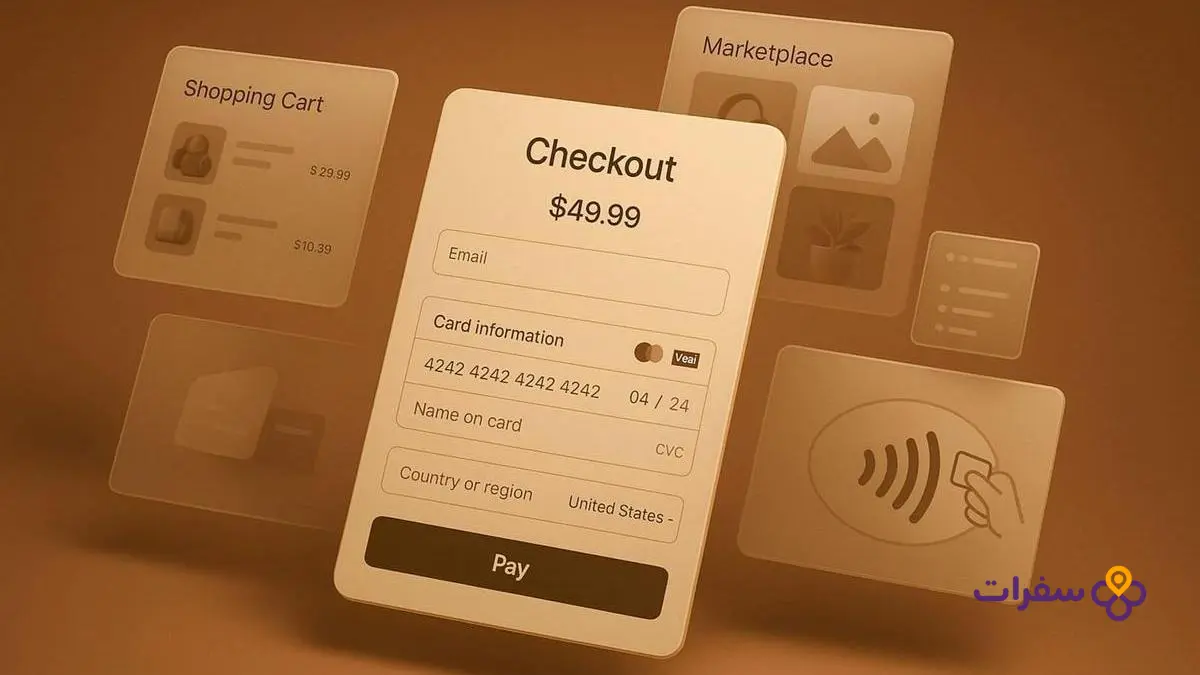
To avoid hidden hotel fees, do not rely on the first price shown in search results; check the breakdown of the final amount before confirming payment. Check the number of nights and guests, the displayed currency and whether meals are included, then review taxes, service or city fees, and any charges excluded from the total. Some taxes or fees may be added according to the property’s policy and local law, so read the conditions of the selected rate carefully. Booking.com displays an example of fee, cancellation and payment terms to show that these details depend on the property’s and booking’s terms.
Deposits and fees
Before completing your booking, ask whether the property requires a refundable deposit on arrival, how it is paid, the conditions for its return and the expected processing time. Distinguish between a deposit that is returned according to the terms and service or facility fees that may be non-refundable. Fees and payment and refund policies vary by property, rate and local law, so do not assume that what applies to one offer applies to another.
Understand cancellation and change policies before paying
Before confirming your booking, compare the hotel’s cancellation terms with how firm your travel dates are. A refundable booking may allow a refund if cancelled within specified conditions and by a set deadline, while a non-refundable booking may restrict cancellation and recovery of the amount paid. Do not assume that a non-refundable option is always cheaper or that a flexible option guarantees a full refund in every case.
Cancellation deadline
Open the conditions for the specific rate, not just the hotel’s general policy, and look for the last date to cancel for free, if available. Check the date, time and time zone used, and how the deadline is calculated; missing it may mean different terms apply. Also check whether cancellation must be completed through the platform you used to make the booking.
Changing booking details
Before paying, check whether you can change the stay dates or guest details, and whether changes are subject to separate conditions or fees. Do not assume that permission to cancel means you can change the booking, or that a name change is available for every rate. If your schedule may change because of your travel arrangements, choose an offer whose terms allow the changes you need, and keep a copy of them with your booking voucher.
Steps to book securely and ensure your stay is confirmed

Before payment
Follow clear steps when booking a hotel online, and review your stay details before entering your payment card information. Open the website or app you have chosen directly, then check the hotel name, arrival and departure dates, number of guests and room type.
- Check the currency and total amount displayed before confirming payment, and review the number of nights, meals, taxes, service or facility fees excluded from the total, and any refundable deposit required on arrival.
- Read the rate conditions to find out when you will be charged, the cancellation and change policy, and whether paying at the property is an option. These terms may vary by property and rate.
- Complete payment using a trusted method, and make sure the payment page shows the provider’s name, amount and currency matching what you reviewed.
After booking
Save the booking voucher in your email or on your device, and check that it shows the reference number, guest details and stay information. If the voucher does not arrive or you find an error in the details, contact the platform you used to make the booking. Before travelling, send the hotel a message with the reference number, guest name and stay dates, and ask it to confirm receipt of the booking; keep its reply with your voucher.
Browse available hotels through hotel bookings and compare the terms of each offer before proceeding.
Hotel alternatives for groups and families

A private villa or spacious serviced apartment may be a better fit than booking several rooms when your group needs shared space or when coordinating separate rooms for family members is difficult. Before choosing, compare options based on the number of guests, available space, included facilities and house rules, not just the displayed price.
| Option | Space and how it is used | What to check | Cost comparison |
|---|---|---|---|
| Several hotel rooms | A stay split across separate rooms, which may suit those who need more privacy. | Bed type, capacity of each room and whether the services you need are included. | Calculate the total for rooms, nights and fees, not just the cost of one room. |
| Private villa | May offer more shared space for the group. | Permitted capacity, facilities, house rules and any excluded fees. | Compare the total offer with the cost of the rooms needed for the same group. |
| Spacious serviced apartment | May bring family members together in one space, with facilities that vary by offer. | Details of facilities and services, and booking and cancellation terms. | Check the total price and what it includes before confirming your booking. |
Do not assume that independent accommodation is automatically cheaper; the result varies according to the number of guests, stay dates, facilities and excluded fees. Read the full offer terms and make sure the house rules suit your group before paying.
Frequently asked questions about booking hotels online
What is the best app for hotel bookings?
There is no single app that suits everyone; choose a platform that clearly displays rate conditions, cancellation terms and fees, and lets you compare room types before confirming your booking.
How can I book a hotel online?
Choose your stay dates and number of guests, then compare rooms and prices and read the property’s terms. Before paying, review the guest details, total price and cancellation policy, then save your booking voucher.
What is the best website for booking hotels?
The best site is one that clearly shows the final price and payment and cancellation terms, and lets you review room details. Compare the same offer across more than one platform, not just the price.
How can I book a hotel and pay on arrival?
Use the “pay at the property” filter if available, then read the rate conditions; the property may require card details to guarantee the booking or an advance payment. Check what will be charged and when before confirming.
What is the difference between a refundable booking and a non-refundable booking?
A refundable booking allows cancellation within a specified period and under set conditions, and the refund outcome may vary according to when you cancel and the rate selected. A non-refundable booking may not allow you to recover the amount paid if you cancel or make changes.
What hidden fees should I look out for when booking a hotel?
Check taxes and city or resort fees, whether meals and facilities are included, and whether a refundable deposit is required on arrival. Before paying, review the total breakdown, currency and excluded fees in the property’s terms.