
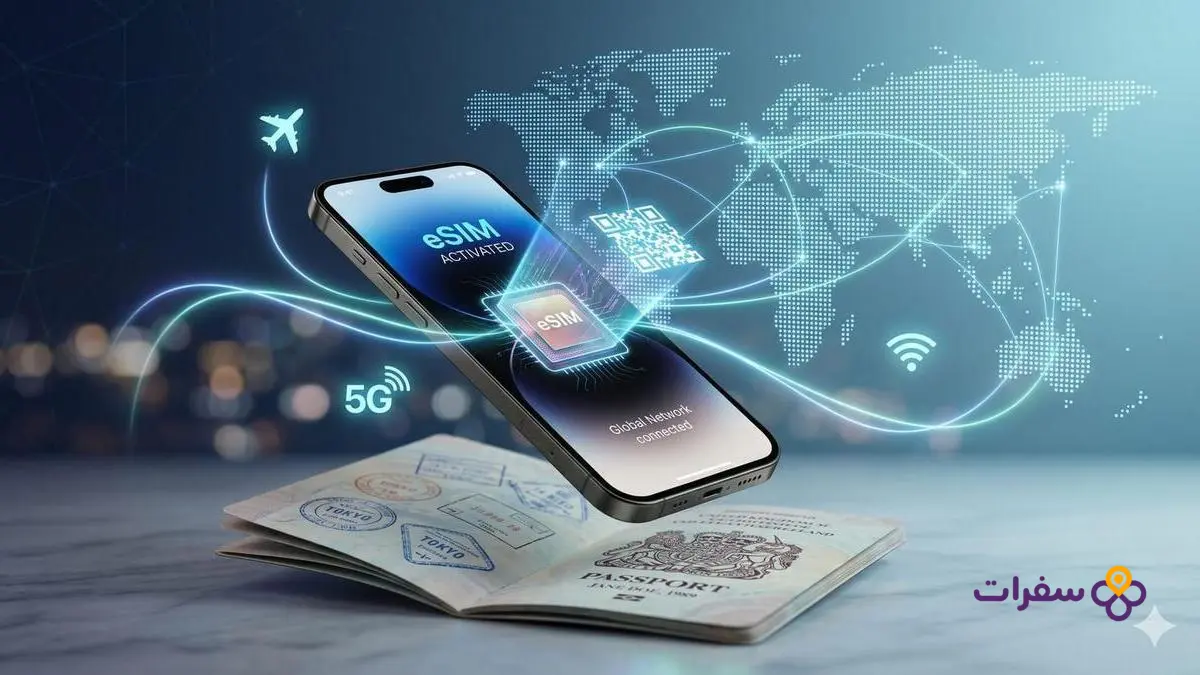
Before travelling, you face a practical question: should you activate international roaming on your current SIM, or buy an eSIM for your destination? The difference between international roaming and eSIM goes beyond price — it also covers speed, billing control, and how you receive bank verification messages. Both options are available, but each works in a completely different way, and the right choice depends on the nature of your trip, its duration, and how much data you use.
The technical concept of international roaming and how it works
International roaming relies on bilateral agreements between your home network operator and the operators in the host country. When you arrive, your local SIM automatically searches for a partner network and sends a connection request through international linking channels. Every data transfer or call is then logged in your home operator’s central billing system, which pays the foreign operator wholesale fees and then charges you the cost plus a variable profit margin.
Modern roaming packages include a daily or weekly cap, but exceeding that cap activates a pay-as-you-go system at very high rates, and you may not receive an immediate warning message due to delays in data synchronisation between networks. Many Iraqi travellers are caught off guard by bills that far exceed their expectations days after returning home, once the settlement between operators is finalised.
Roaming also faces additional technical limitations: the foreign operator gives your SIM lower priority on its towers compared to local subscribers, which leads to slower speeds during peak hours or in congested areas. Some networks impose a pre-set maximum speed cap for roaming users, meaning you cannot benefit from 5G networks even when they are available, and you remain confined to slow 3G or 4G — especially if your original package does not include advanced roaming agreements.
The technical concept of the eSIM for travellers

The eSIM relies on a digital chip built into your device, activated by downloading an electronic profile file containing the connection data for a local network at your travel destination. You do not need a removable plastic card; instead, you scan a QR code to activate it or enter an installation code manually, and the package loads instantly without waiting for shipping or physical collection. This design allows you to set up connectivity before departure and land in your destination country with a connection ready to use immediately.
When you activate a travel eSIM, your phone connects directly to the local network towers in the host country as if you were a local subscriber, without routing through your home operator’s network. This direct connection eliminates the intermediary layer imposed by international roaming, giving you higher speeds and better priority access to 5G and 4G networks, and noticeably reducing latency when using maps apps or video calls.
Travel eSIM packages come prepaid with a defined data allowance — for example, 5 GB or 10 GB — and a clear time validity, typically ranging from one week to one month. Once the package is used up or expires, the connection cuts off automatically with no additional charges, ensuring complete spending control and eliminating the risk of surprise bills. Most packages provide data only, without a traditional phone number for voice calls, so travellers rely on internet apps for calls while their original number remains active to receive bank OTP verification messages via the Dual SIM feature.
Head-to-head comparison: international roaming vs. eSIM
Budget control and billing
International roaming uses a post-paid billing system in which charges are calculated based on your actual usage and vary according to your Iraqi operator’s agreements with foreign networks — and are generally higher than local rates. By contrast, a travel eSIM offers prepaid packages with a defined data cap; once the allowance is used up, the connection cuts off with no additional charges, giving you complete certainty about your spending before you travel.
Connection speed and network priority
A roaming SIM typically receives lower priority and restricted speeds compared to local subscribers. By contrast, an eSIM enables higher speeds, better stability, and the ability to benefit from 5G networks wherever they are available at your destination, without the restrictions of an intermediary.
Ease of setup and flexibility
Activating roaming requires contacting your local operator before travelling to enable the service, and sometimes paying a security deposit or advance subscription fee. An eSIM is installed instantly by scanning a QR code from your email, and you can set it up before departure or even at the airport upon arrival, with no need to visit a branch or wait for administrative approval.
Comprehensive comparison table between the two connectivity options while travelling
The following table helps clarify the fundamental differences between international roaming and eSIM in terms of setup method, billing system, network priority, and the separation of data usage from the voice line.
| Criterion | International Roaming | eSIM |
|---|---|---|
| Setup method | Automatic upon arrival; requires prior service activation from the local provider | Scan a QR code before travelling or upon arrival; activation is instant with no store visit required |
| Billing system | Post-paid based on actual usage; risk of exceeding the package limit and incurring unexpected additional charges | Prepaid at a fixed amount; no hidden fees or surprise bills after the trip ends |
| Network priority | Indirect connection via inter-operator agreements; lower speed and reduced priority on towers | Direct connection to local networks; full speed and priority equal to local subscribers |
| Separation of data from calls | Unified use of data and calls through the same SIM; difficult to control them separately | eSIM dedicated to data only, while the original SIM remains active for calls and messages |
How to run an eSIM while keeping your original number for calls
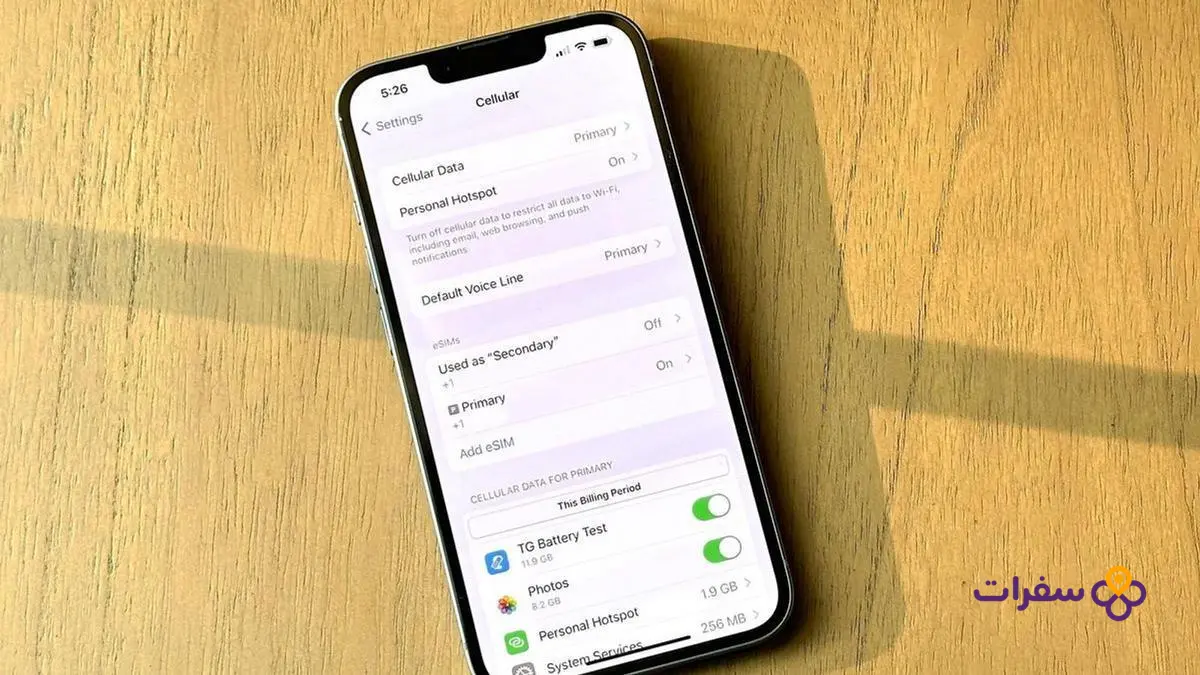
Modern phones allow two SIMs to run simultaneously, enabling you to use a travel eSIM for browsing the internet while your original Iraqi SIM remains active to receive calls and text messages. The setup involves assigning the data line separately from the voice line through the Dual SIM menu in the phone’s settings, where you select the eSIM as the sole source of mobile data, while the physical SIM is dedicated to calls and messages only, with roaming data turned off entirely.
Receiving bank OTP verification messages
Keeping the original SIM active ensures that bank OTP verification messages and important notifications arrive without delay or additional charges, since receiving text messages is usually free even outside Iraq. The official Apple support page on using eSIM while travelling explains the steps for activating Dual SIM on iPhone devices, while Android devices offer similar settings under “Network & Internet” then “SIM cards”.
Controlling internet costs while travelling
Once this setting is activated, all internet usage is automatically routed through the eSIM’s digital package. Make sure to turn off the “automatic data switching” option on some devices to prevent the phone from switching to the original SIM when the eSIM signal is weak — something that could lead to unintended consumption via international roaming at high costs.
Practical steps to set up your internet package before your departure time

Here are the steps in order, from confirming device support through to activation upon arrival:
- Confirm your phone supports eSIM: Go to Settings, then Cellular Networks, and look for an option to add a data package or eSIM. Make sure the phone is not locked to a specific network, as a lock will prevent new profiles from being installed.
- Choose your package and obtain the QR code: Select the package that suits your destination and receive the QR code for the profile. It is preferable to complete this at least one day before heading to the airport.
- Install the profile: Scan the code with your camera, or go to Cellular Network settings and choose to add a data package, then name the package and set it for data use only.
- Leave it disabled until you land: Most packages begin their validity period from the moment of the first connection to the local network, so activating it early wastes days without any benefit.
- Activate it upon arrival: Turn on cellular data for the eSIM from Settings, and it will connect to the local network within seconds with no additional configuration required.
Answers to frequently asked questions about roaming and eSIMs
What are the drawbacks of an eSIM?
An eSIM requires a phone that supports the technology and is unlocked for all networks. Most travel packages provide data only, without a traditional phone number for landline calls, relying instead on internet-based calling apps. Transferring an eSIM between devices also requires a full reactivation process, rather than simply removing a physical SIM card and inserting it into another phone — something that can cause inconvenience in emergencies or in the event of a sudden device failure.
Which is better, an eSIM or international roaming?
An eSIM is the better choice for most travellers, thanks to its fixed-value packages, high speeds, and freedom from surprise bills. International roaming is preferable only when there is an urgent need to make and receive voice calls directly via your original phone number without relying on internet apps. Travellers who expect formal business calls or emergency contacts from parties that do not use messaging apps may find roaming more suitable, despite its higher cost.
Does an eSIM replace the regular SIM card?
It does not replace it. Modern phones support running two SIMs simultaneously, allowing you to use the eSIM for internet while keeping the regular SIM active to receive text messages and bank OTP verification codes. You should configure your cellular data settings to route all internet usage through the eSIM, while the original SIM remains dedicated to calls and messages only, without incurring any costly roaming data charges.
What happens if the eSIM package runs out while travelling?
Internet service stops immediately, with no additional charges or continued consumption, giving you complete protection from unexpected bills. You can purchase a top-up package through the provider’s app or website and activate it instantly, without needing to visit any physical store. Alternatively, you can temporarily switch to international roaming on your original SIM — if it supports it — until you are able to purchase a new package.